
One system for regular inspections, defects and maintenance
Civic.ly is inspection and asset management software for UK town and parish councils. It brings regular inspections of playgrounds, trees, parks and cemeteries together with defect reporting and maintenance jobs in one system. Clerks and grounds managers can organise repeating rounds in the web app, while staff complete checks on their phones. Findings and follow-up work sit against the relevant asset in the council's register.
If your grounds team looks after several sites, it helps to have one system for all of them rather than a different inspection sheet for every type of asset. Civic.ly is used by more than 100 parish, town and community councils across England and Wales. See how Civic.ly works or book a free demo.
Start with the site and the assets within it
A recreation ground may contain a playground, benches, bins, paths and trees. You can draw the site boundary on the Civic.ly map and add individual assets within it. This gives the team a way to find the right location and lets the clerk decide which assets need their own inspection record. See how to create and edit areas on the map.
Not everything needs a separate check on every visit. A Park Sweep records the condition of the park as a whole against the site asset. It does not create an inspection history for each bench, bin or piece of play equipment. Set up separate inspections on individual assets when their own inspection history is needed. If you find damage to a particular asset during a site round, record the defect against that asset. See how to inspect parks and playgrounds for the different ways to set up a round.
What can a council inspect using Civic.ly?
Civic.ly provides built-in checklists for different types of council asset. Choose an appropriate checklist when setting up the inspection.
| Asset or site | Example of work to record |
|---|---|
| Playgrounds | A site sweep and separate visual or operational checks of individual equipment. |
| Trees | A Tree Sweep on an individual tree record, covering visible signs of concern around the roots, trunk and canopy. |
| Parks and open spaces | A site round to record issues with the grounds and paths, with separate checks for individual assets where needed. |
| Cemeteries | A Cemetery Sweep for the grounds and individual Headstone or Memorial checks where appropriate. |
| Buildings, halls and toilets | A Building Sweep for the fabric, services and safety of a hall or pavilion, with room and toilet sweeps where a building has them. |
| Street furniture and bins | Annual checks on benches and seating, bins, signs, bollards and shelters, plus bin collection jobs. |
| Vehicles and grounds equipment | Vehicle sweeps ordered the way you walk round a vehicle, and pre-use checks for mowers, strimmers, chainsaws and other grounds equipment. |
| Fire safety, electrical and water | Fire alarm, call point and fire door checks, electrical checks, and Legionella checks that record outlet flushing. |
| Allotments, courts and sports grounds | An Allotment Sweep, sweeps for sports grounds and skate parks, and checks for courts and tracks. |
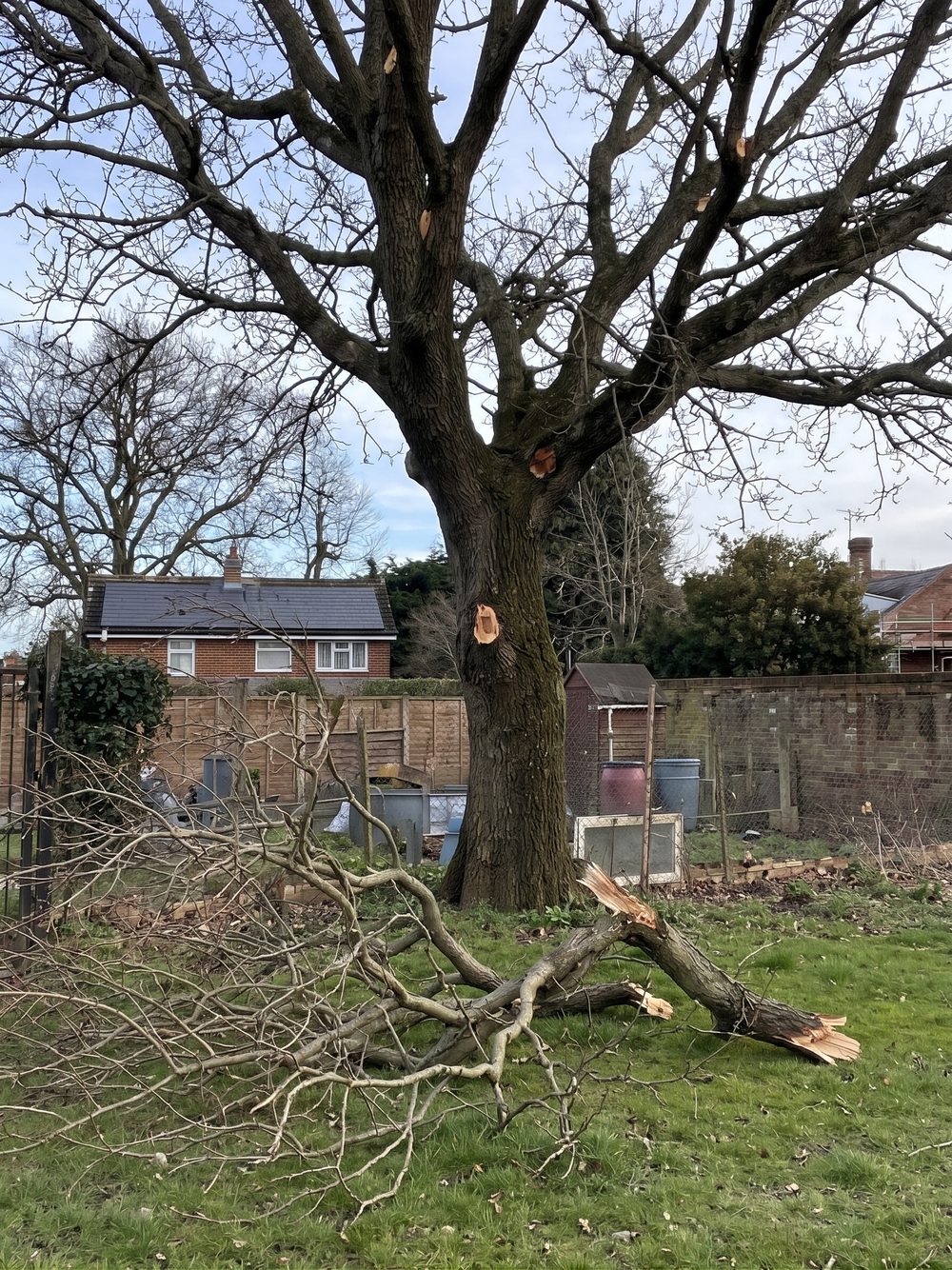
The table is a sample, not the whole library. Browse the checklist library for every available check, including the play equipment checklists, the open-space sweeps and the Headstone and Memorial checks. The Tree Sweep is described in the Summer Update 2026. Set the inspection frequencies according to your council's risk assessments and applicable guidance.
The software helps your team record its work. It does not replace an independent annual playground inspection (including a RoSPA inspection where commissioned), a qualified arboricultural survey or specialist memorial safety assessments.
Build rounds that fit your working week
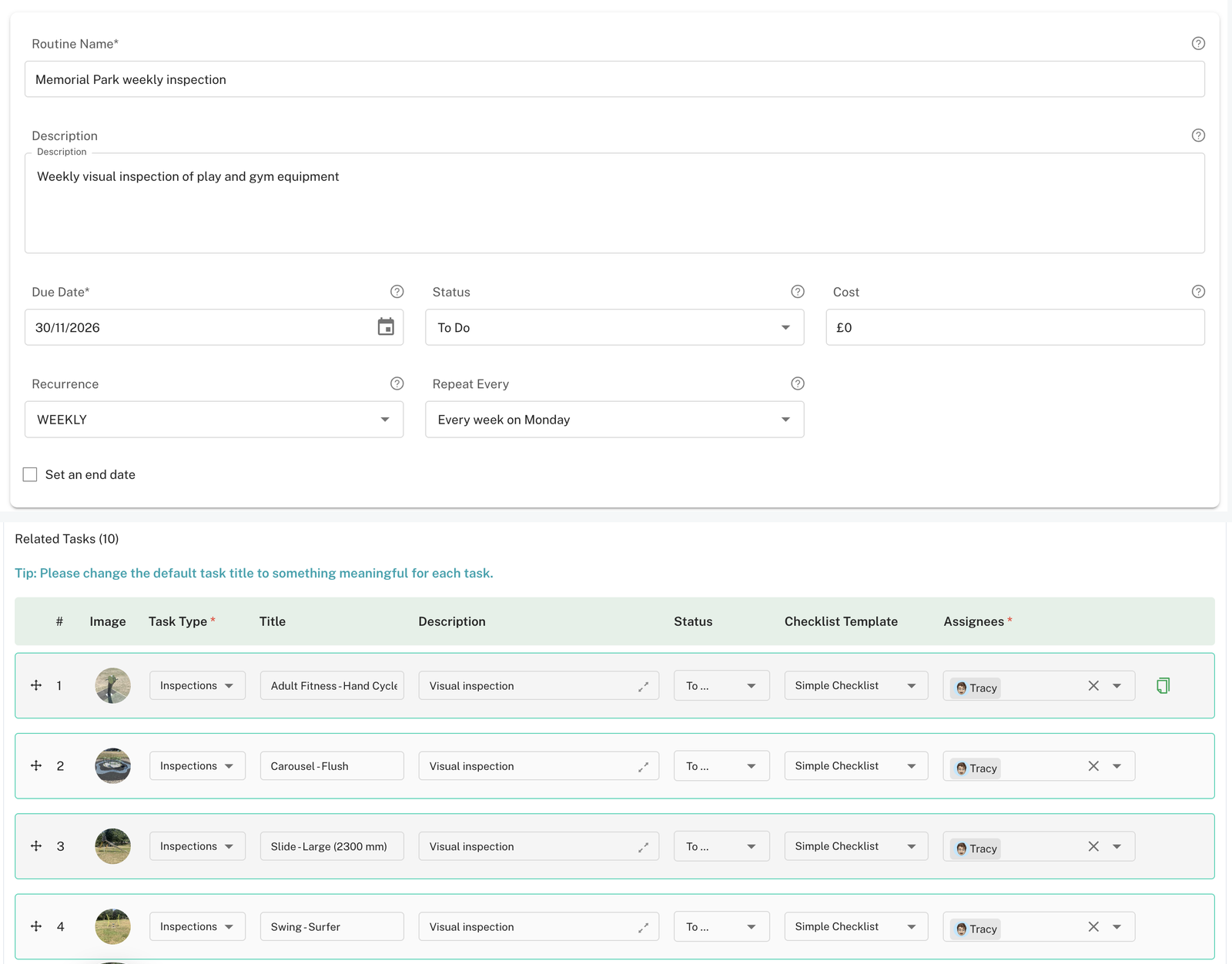
A small grounds team might visit several parks in one morning and inspect a cemetery on another day. Rather than setting up every visit again each week, use a routine to group work that shares a schedule. Each task remains associated with its own asset.
For example, a council could set up a weekly play equipment round, a separate park grounds round and a cemetery round at the interval set by its policy. Individual tree checks can sit on their own schedule. These are illustrative arrangements, not recommended safety intervals.
When creating a routine, select the assets, choose the inspection or job for each, assign the work and set the recurrence. Staff can then see and complete their assigned tasks in the mobile app. See how to create a routine, how to create an inspection and scheduling recurring tasks.
Keep defects and repairs connected to the inspection record
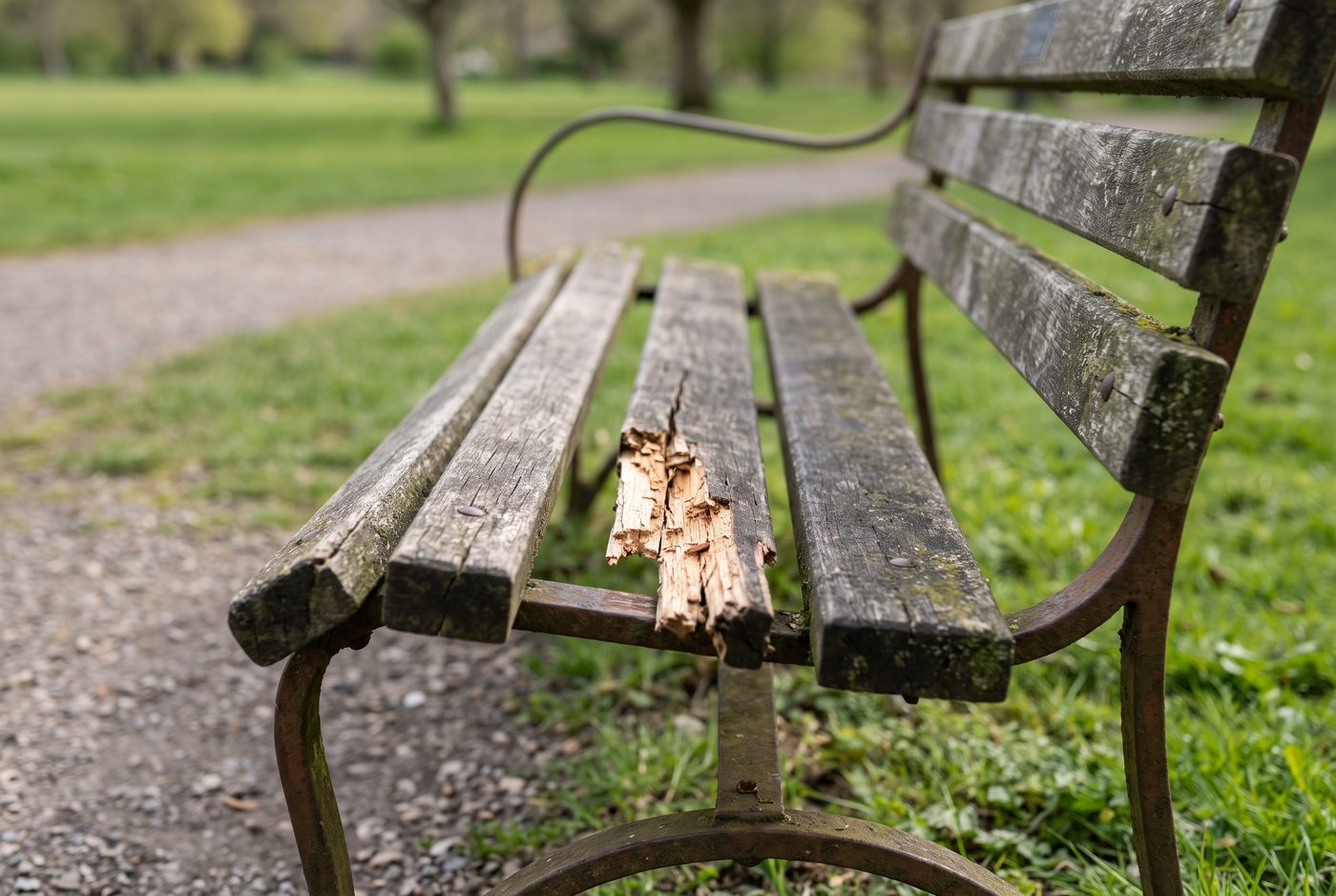
Suppose a park inspection finds a broken bench slat. The inspector can raise a defect from the failed check, add a photograph and describe what is wrong. The clerk can then create a linked job to arrange the repair, assign the work and give it a due date.
Once the job is marked Done, the council reviews the result and updates the defect status separately. If another visit is required, the defect can remain open until that work is finished. The same approach works for a finding on play equipment, a tree or a cemetery asset. Where a finding requires immediate action or specialist advice, follow the council's safety procedure rather than waiting for the next scheduled round. See how to raise and manage a defect and inspections, defects, jobs and routines: what's the difference?
Schedule maintenance as well as condition checks
Grass cutting and bin emptying are jobs rather than inspections. An inspection records condition; a job records the work carried out. Keeping these distinct makes it easier to review what was checked, what needed attention and what was actually done.
For recurring grounds work, create jobs on the relevant assets and group them into a routine where useful. The schedule can match your council's maintenance programme. See how to set up grass and verge cutting for a practical example.
Review the work before the next council meeting
When a councillor asks whether a reported issue has been dealt with, the clerk can open the relevant asset record and review its inspections, defects and jobs. The history gives the council a record of the work without having to locate separate paper inspection sheets. See how detailed should your inspections be? for guidance on reviewing individual asset histories.
How Banwell Parish Council uses Civic.ly
Banwell Parish Council uses Civic.ly to organise checks across different asset types and share the work between the clerk, cleaner and councillors. By 11 October 2026, seven people had recorded 93 completed inspections across 117 assets. The council had also resolved eight of the 11 defects raised in the first weeks of its inspection round. Read Banwell's customer story to see how those routines work in practice.
What to look for in council inspection software
When comparing systems, ask the supplier to demonstrate four things using your own asset types: how a whole-site round is recorded, how an individual asset builds its inspection history, how a defect becomes an assigned repair job, and how the clerk reviews the completed work. Ask to see separate repeating schedules for playground equipment, park grounds, trees and cemetery assets rather than a single checklist for the entire estate.
If you are bringing additional sites into your council's remit, see our guide to managing assets after community asset transfers. For more detail on play equipment, read our playground inspection software guide. For cemetery grounds and individual memorial checks, see our cemetery inspection and maintenance guide.
Explore Civic.ly's features or book a demo to see how a round would work with your council's own sites and assets.
Frequently asked questions
Civic.ly is asset management and inspection software for town and parish councils. It supports scheduled site rounds, asset-specific checks, defect reporting and maintenance jobs in one system, with mobile access for staff carrying out the work.
Yes. Create a recurring inspection for a single asset or a routine for several tasks on a shared schedule. Choose the frequency appropriate to each asset and your council's inspection policy. See scheduling recurring tasks.
Yes. A failed checklist item offers the option to raise a defect. Staff can add a photograph and description. Defects can also be raised separately when a problem is spotted outside a scheduled check. See how to raise and manage a defect.
Yes. Civic.ly supports recurring jobs for planned work and linked jobs for defects that need repair. The council can review the job's completion and update the defect separately.
Yes. A site sweep records the check against the area, such as a park. It does not create separate inspection records for every asset within it. Schedule checks against individual assets where their own inspection history is needed.
No. Civic.ly helps councils organise checks and maintain records of work. Independent playground inspections, professional tree assessments and specialist memorial checks must still be arranged where required by the council's safety policies and applicable guidance.