
Record cemetery inspections, defects and repairs in one place
Civic.ly helps parish and town councils record cemetery inspections, log defects found on headstones or grounds assets, and track the work that follows. A clerk can schedule a site round in the web app and review the results after the assigned team records them in the mobile app. The council keeps responsibility for its memorial safety policy and for arranging any specialist assessments.
Civic.ly is used by more than 100 parish, town and community councils across England and Wales. See how Civic.ly works or book a free demo.
Record the grounds round and individual memorial checks separately
A cemetery walk-round might pick up an uneven path, a damaged gate or an issue that needs a closer look. Civic.ly has a built-in Cemetery Sweep for a whole-site round and routine checklists for cemeteries and churchyards. It also has separate checklists for the Headstone and Memorial asset types. The checklist available in the app depends on the asset type. See the cemetery and churchyard checklists, the Cemetery Sweep and the Annual Headstone Check. That check's guidance points inspectors to BS 8415 and ICCM memorial safety guidance.
For an individual headstone check, give the asset a name your team can recognise on site. For example, use the cemetery section and existing plot reference in the name where that helps identify the correct memorial. Continue to manage burial and grave rights records in the council's existing burial register. See Civic.ly's guide to naming assets.
Follow the finding through to the next action

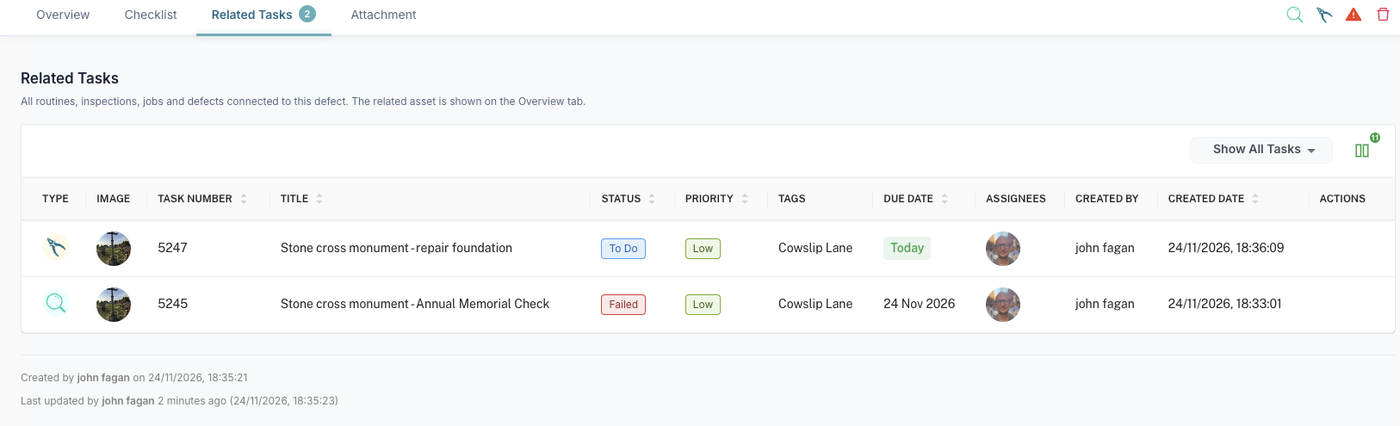
Suppose a scheduled check identifies damage to a headstone. The inspector records the result and can choose to raise a defect with the location, a description and a photograph. If the condition needs specialist assessment, follow the council's escalation process. When the council has agreed what work it is responsible for, create a linked job, assign it and set a due date. See how to raise and manage a defect and fixing defects with jobs.
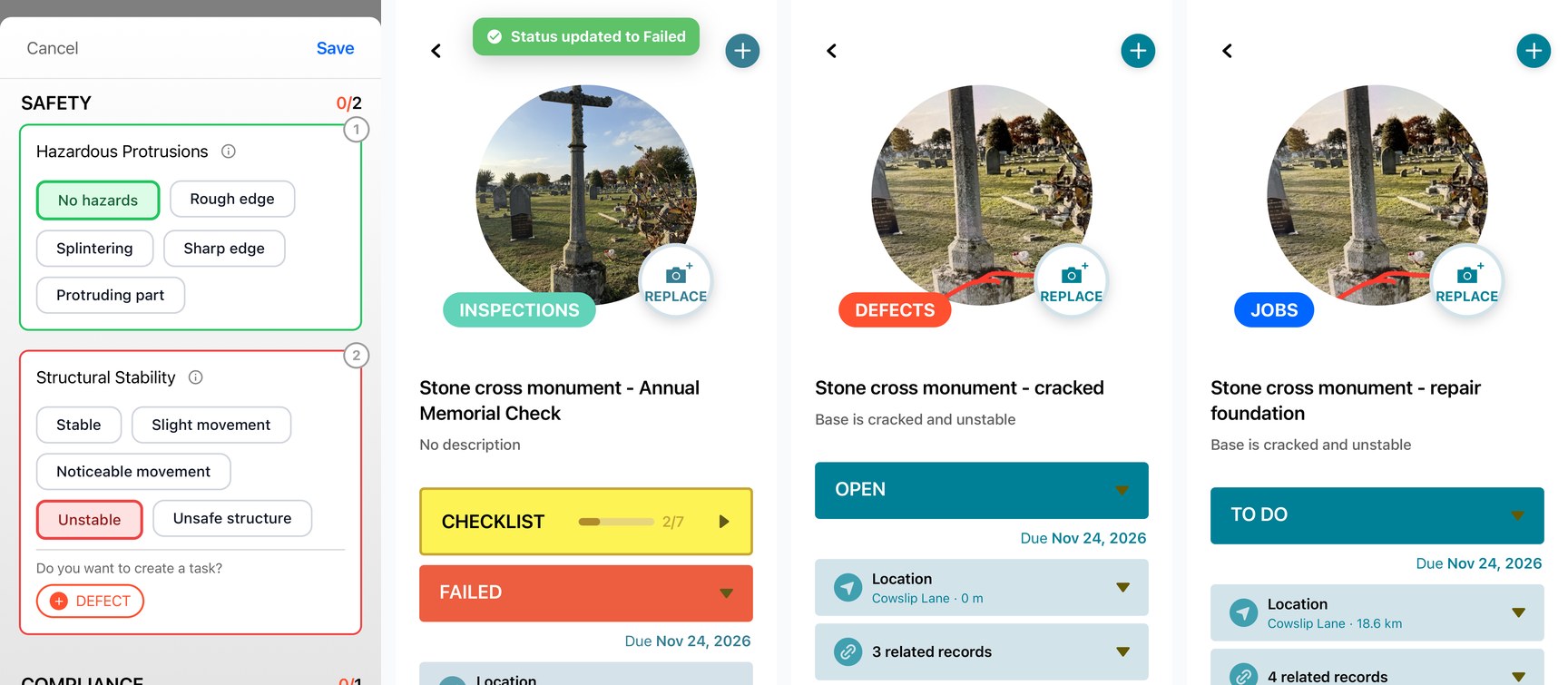
If a specialist needs to assess the headstone before a repair is agreed, record that visit as its own job. See recording specialist visits and evidence. When a repair job is marked Done, review the evidence and update the defect separately. This matters if a reinspection is still due or the council is waiting for someone else to act. The record should make clear what has been done and what remains open.
Set the schedule from the council's memorial safety policy
Civic.ly lets you set an inspection date, assign the check and set it to repeat. Use the frequency set by your council's risk assessment and memorial safety policy. A software checklist is a way to record the work carried out under that policy. It does not replace a competent person's assessment or any specialist inspection or repair. See how to create an inspection and how to create a routine.
For councils in England and Wales, see the Ministry of Justice guidance on managing the safety of burial ground memorials. Follow your own process for contacting families or rights holders when appropriate.
What to test in a cemetery software demo
Ask to see a grounds round and a check of one sample headstone. Then ask the supplier to show how you find the original result, who owns the follow-up, what work was completed and whether a further check is still due. If you also need plot allocation or burial rights administration, test those requirements separately.
Explore Civic.ly's asset management features or book a demo and ask to see the workflow on one cemetery asset.
Frequently asked questions
Yes. Set up the headstone as an asset and assign an inspection. If the check identifies a problem, the user can raise a defect and link a repair job to it. The job's completion and the defect's final status are recorded separately. See how to create an inspection and fixing defects with jobs.
Yes. You can use recurring jobs for grounds work and inspections for condition checks. A Civic.ly routine can include both types of task, each on its own asset record and with an assignee. See how to create a routine.
Set the frequency through the council's memorial safety policy and risk assessment. Civic.ly lets you schedule a check to repeat at the interval you set. Confirm with the person responsible for memorial safety when a follow-up or specialist inspection is needed.
Yes. Use a plot or section reference in the relevant asset name so staff can match the inspection or defect to the right memorial. Continue to manage burials and rights holders in the burial register.