
I met Liz Shayler, Clerk to Banwell Parish Council, at the SLCC national event this autumn. She had a few minutes between sessions, and I asked if she would say a few words on camera about how Banwell uses Civic.ly. What she gave us, in about a minute and without a script, was one of the clearest descriptions I have heard of what asset management actually looks like in a working parish.
"Hi, I'm Liz Shayler. I'm the clerk to Banwell Parish Council. We're a medium sized parish council, and I absolutely love Civic.ly."
I want to unpack what she says, because every clerk I speak to will recognise the shape of her week.
One building, a lot of benches
Banwell is a village in North Somerset. The council looks after one community building and a long list of things dotted around the parish:
"We have one community building, and then we have lots of benches, dog bins, grit bins, street lights, etc."
That list is the reality of parish asset management. It is rarely one big, expensive thing. It is 271 smaller things (as at 11 October 2026), each of which someone is responsible for, and any of which can turn into a complaint, an insurance claim or an unplanned bill if nobody is looking at it.
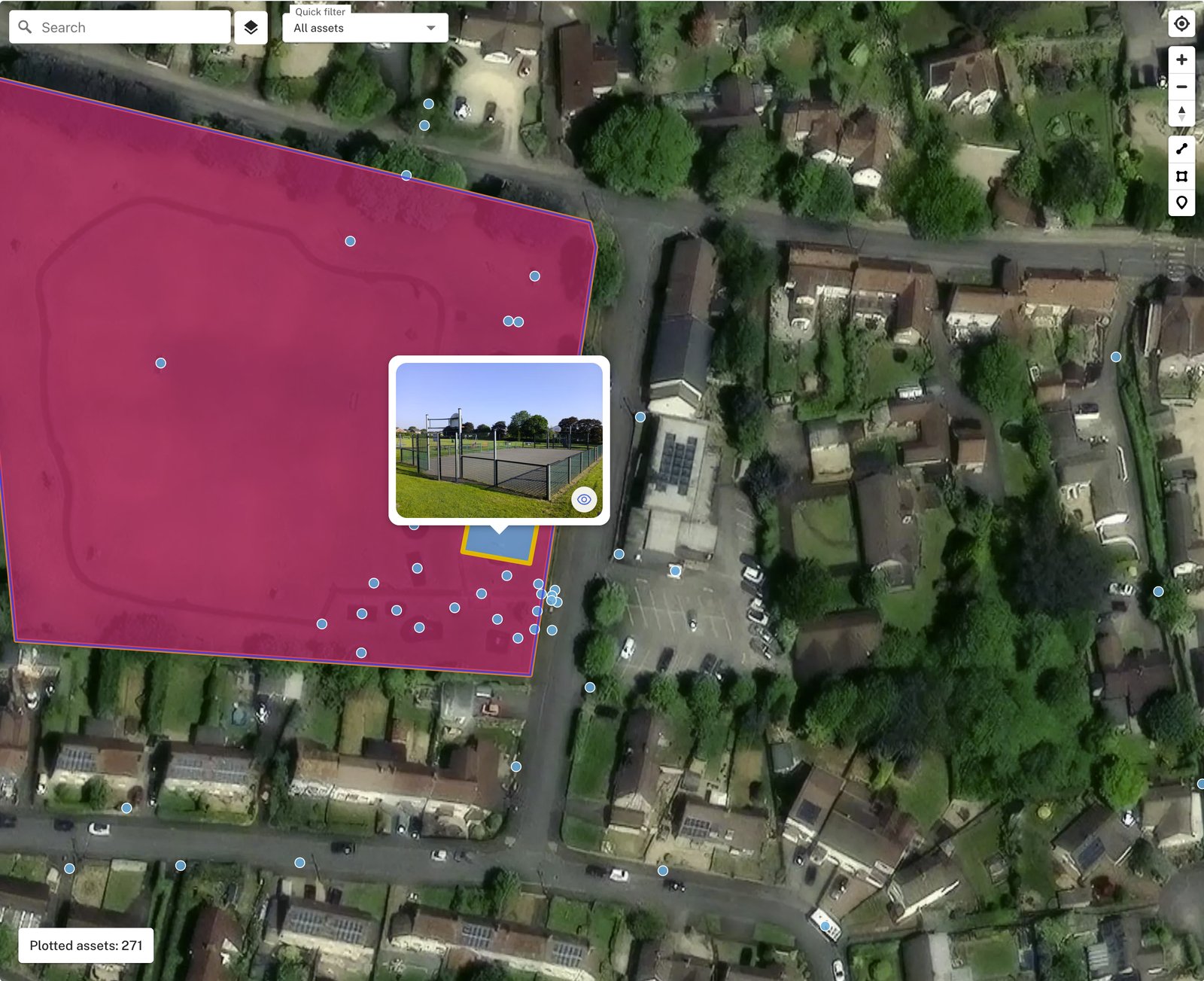
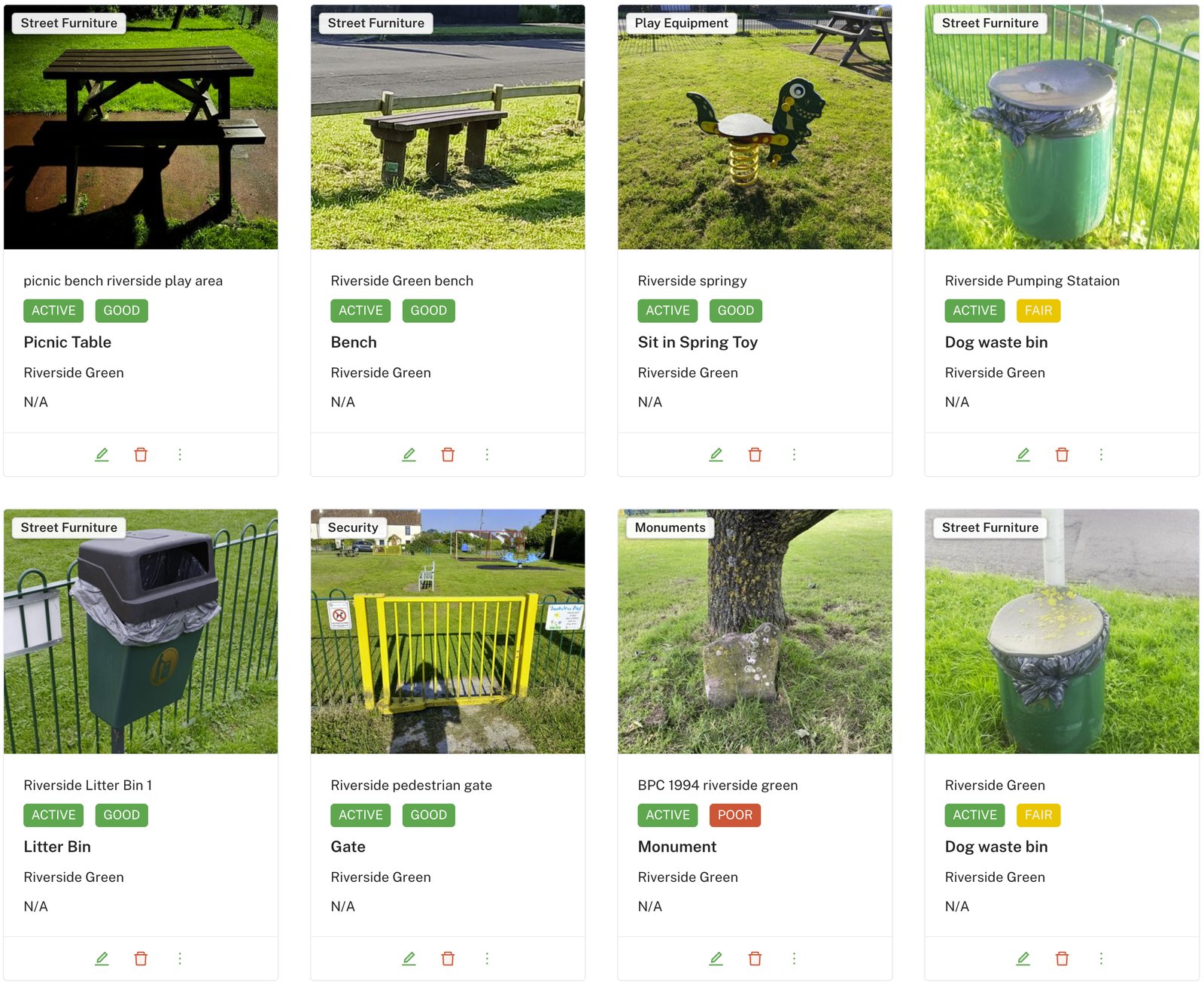
Before Civic.ly, Banwell's checks worked the way they do in most councils: paper forms, photos emailed separately to the clerk, and a lot of knowledge held in one person's head. The checks were happening. The record of them was the hard part.
The week: the building comes first
Liz's week starts with the building.
"I use it weekly for our building, for fire alarms, for emergency lighting, fire extinguishers."
Her weekly fire alarm check now covers more than the alarm panel. It includes the alarm beacons, the fire doors, and the kitchen fire shutter that drops when the alarm sounds. Emergency lighting and the extinguishers sit on their own monthly routines. Each one arrives on her phone when it is due, and each is recorded against the asset it belongs to.
That matters because the question an insurer or auditor asks is never "do you check the fire alarm?" It is "show me." A dated record against the asset, with a photo where something was wrong, answers that in seconds.
The kitchen: the cleaner has her own list
"But also my cleaner uses it for her fridge and freezer checks."
This is my favourite line in the video, because it is so ordinary. Civic.ly is not just for the clerk. The person who knows the kitchen best does the kitchen check, on her own phone, every week. Liz does not have to chase it, re-type it or file it. She can see it is done.
The parish round: councillors on their phones
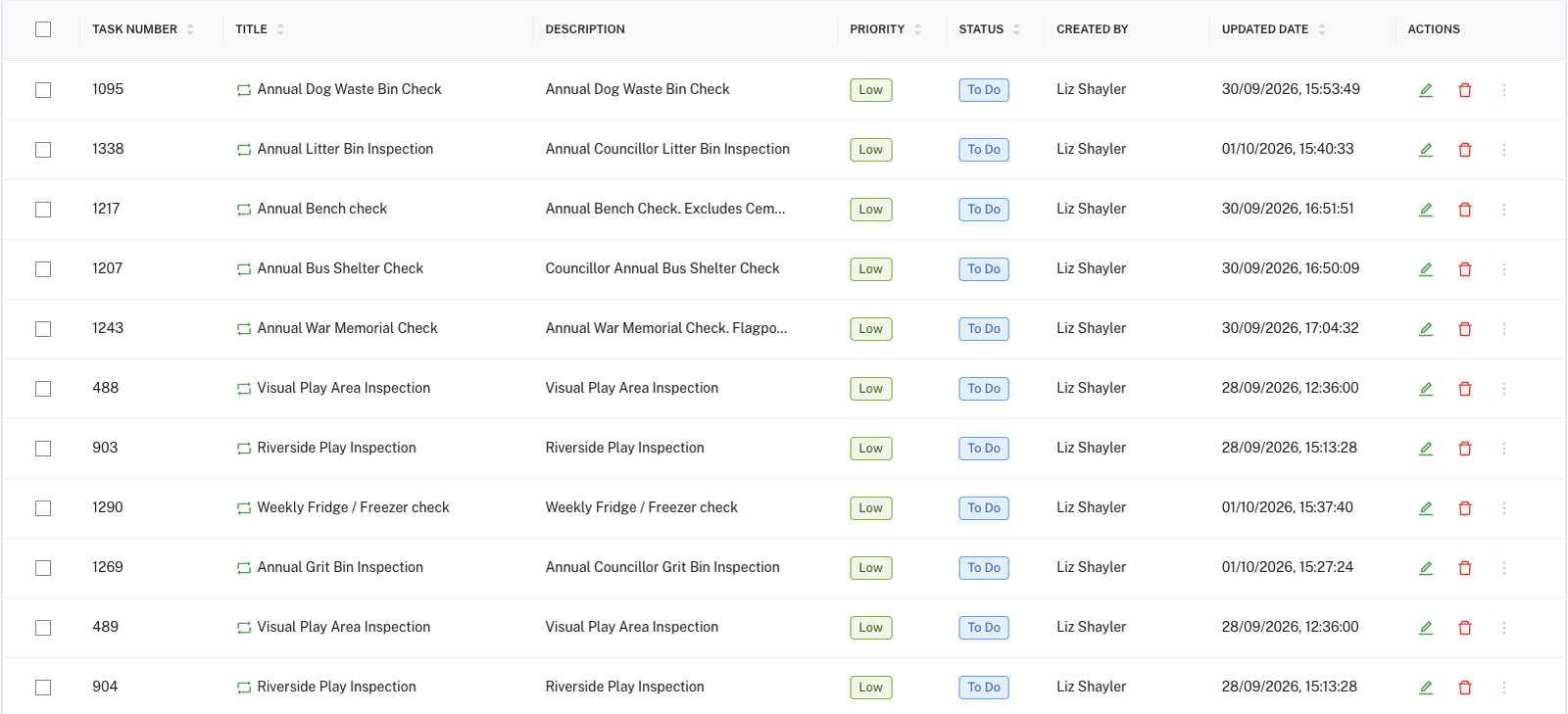
Every autumn, Banwell's councillors share out the parish between them and walk it, checking the street furniture. One takes the grit bins, one the dog bins, another the bus shelters, the flagpoles or the war memorial. That used to mean scoring sheets on paper.
This year it ran on Civic.ly, as annual routines assigned to each councillor.
"I've also got my councillors who do the checks for the grit bins, the dog bins, the annual bus shelter inspections. They all use it, really easy to use. Swipe left, swipe right for a pass and a fail."
The swipe is the point. A volunteer standing next to a dog bin does not want a twelve-question form. Swipe right if it is fine. Swipe left if it is not, and only then fill in what is wrong. By 11 October, seven people at Banwell were recording work on Civic.ly, and between them they had completed 93 inspections across 117 assets.
When something is wrong
"And then it's very easy to upload a photo of any defects that you encounter. The defects then, if they're emergency ones, come straight through to me. Alternatively, they are created in the list."
This is where the work stops being a tick-box exercise and starts saving the clerk time. Banwell raised 11 defects in the first weeks of the round and had already resolved 8 of them by 11 October. They ranged from a vandalised fire extinguisher to wear on the play equipment. Each one sits against the asset, with a photo and a status, rather than in an email thread.
The budget cycle: a list with evidence behind it
Then Liz says the thing I think every clerk should hear:
"So it's easy for me as a clerk to be able to see what it is that needs to be looked at either immediately or when I'm budgeting, which of course September is the way that I budget. And so we've got a grit bin I know will need to be replaced and so therefore I can put it in the budget, nice and easy."
That grit bin is real. In October 2026 a councillor failed the grit bin on Littlefields Road on its annual check. It is recorded against the asset, with the date and the person who checked it. When Liz takes her budget to council, that line has evidence behind it rather than a memory.
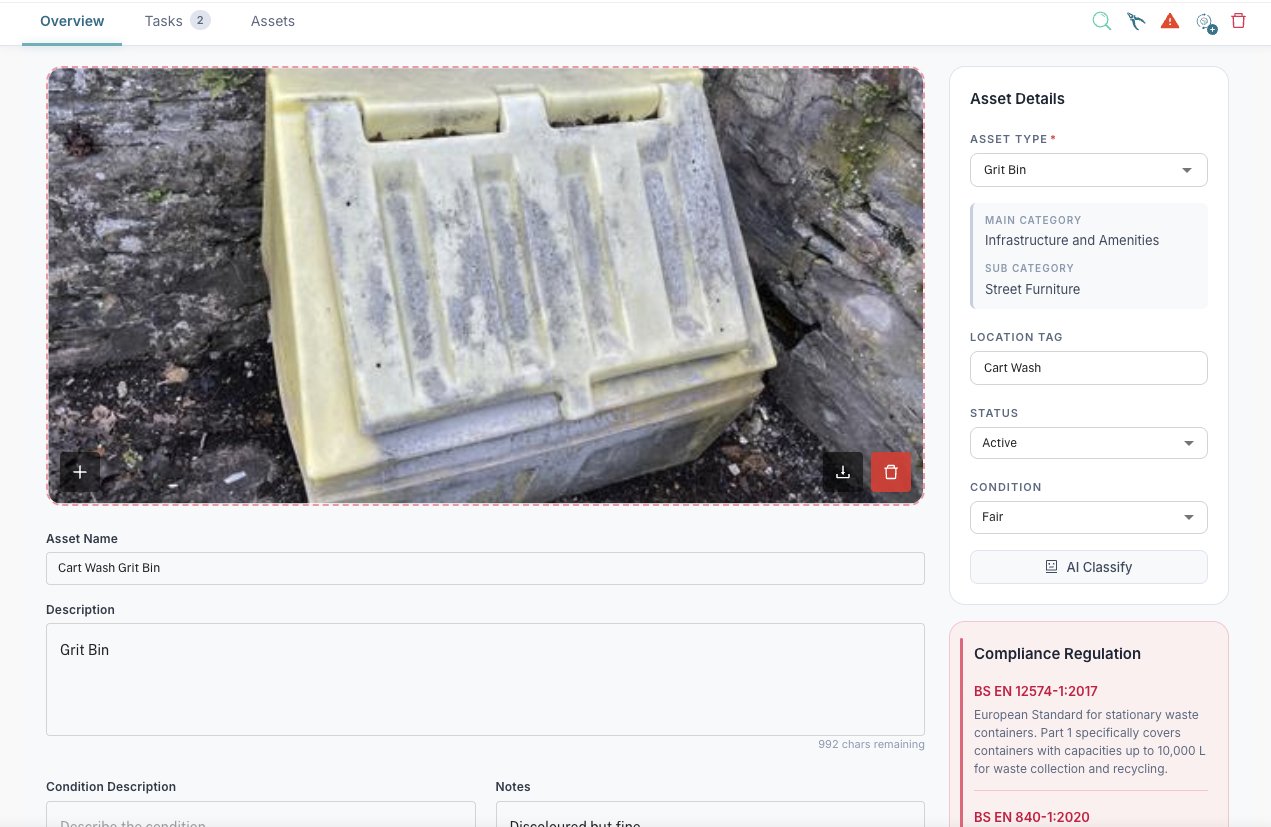
This is the quiet benefit of doing your checks digitally. The inspections you do for safety become the evidence you use for planning. Nobody has to compile a separate list of "things that might need replacing next year". It builds itself as the year goes on.
How to do the same at your council
You do not need a big team or a big budget. You need the checks you already do, in one place. Here is the order that worked for Banwell:
- Get your assets on the map. Start with what you already have: a spreadsheet, a list, or a walk round with your phone. You can tidy up the detail later.
- Start with the check you do yourself. For Liz, that was the weekly fire alarm test. Build one routine, do it for a couple of weeks, and get comfortable. Our guide to creating a routine walks you through it.
- Give one check to someone else. The cleaner, a caretaker, a volunteer. Put the app on their phone and assign them a routine. Our guide to working in the field with the mobile app is a good one to send them.
- Move your annual round across. If your councillors already walk the parish, assign each one a topic as an annual routine. Swipe to pass keeps it quick.
- Let defects build your budget list. Raise a defect with a photo whenever something fails (here is how). When budget season comes round, filter the list and you have your evidence.
Thank you to Liz and everyone at Banwell Parish Council for letting us share their story.