
Civic.ly is asset management software for UK parish and town councils. It lets councils map individual trees, schedule ground-level visual inspections, record hazards and assign remedial work. The clerk can review what has been checked and which jobs are still open on each tree record.
Councils can use Civic.ly to organise routine checks and follow up on specialist tree surveys. It does not replace the judgement of a qualified arboriculturist where a professional assessment is needed.
Keep a record of the trees your council manages
If a resident reports a damaged tree near a footpath, the first task is to identify the correct tree. A useful tree register connects the location to its inspection and maintenance history.
In Civic.ly, record individual trees using the Tree asset type. Each tree can have a map location, photographs, condition and notes. If your council already uses numbered tree tags, enter the existing reference in the asset's External ID field. The species can be included in the asset name. This helps staff and contractors match their work to the correct tree.
Civic.ly's tree records have limits. For councils that need dedicated fields for Tree Preservation Orders (TPOs), stem dimensions or professional survey classifications, you can record these in the asset notes as free text. If your tree officer needs to filter or report on them separately, keep that information in the specialist register and use the same tree reference in both systems. See the help article on managing a tree register.
Record routine tree safety checks
Civic.ly includes a built-in Tree Sweep checklist for individual Tree assets. It works up from the roots to the crown and out to the surroundings that could be affected by falling material.
The Tree Sweep is a ground-level visual check. It should be carried out by someone competent to perform it. Where observations need specialist investigation, arrange an appropriate professional assessment rather than treating the checklist result as a diagnosis.
The checklist is recommended annually. Set the council's actual inspection programme according to its risk assessment and professional advice. If a further check is needed after a storm or a report from a resident, arrange it separately. Civic.ly allows you to create one-off and recurring inspections against the tree.
Use the Tree Sweep checklist for a dated record against one tree. A walk-round recorded against a woodland area gives you a site record instead. See how to inspect trees, how to create an inspection and scheduling recurring tasks.
Record a hazard and follow it through to completion
Suppose a member of the grounds team notices a damaged branch above a public path. They can record the observation against the tree and raise a defect. When an inspection item fails, Civic.ly offers the option to create a defect. A member of staff can also report a problem outside a scheduled inspection.
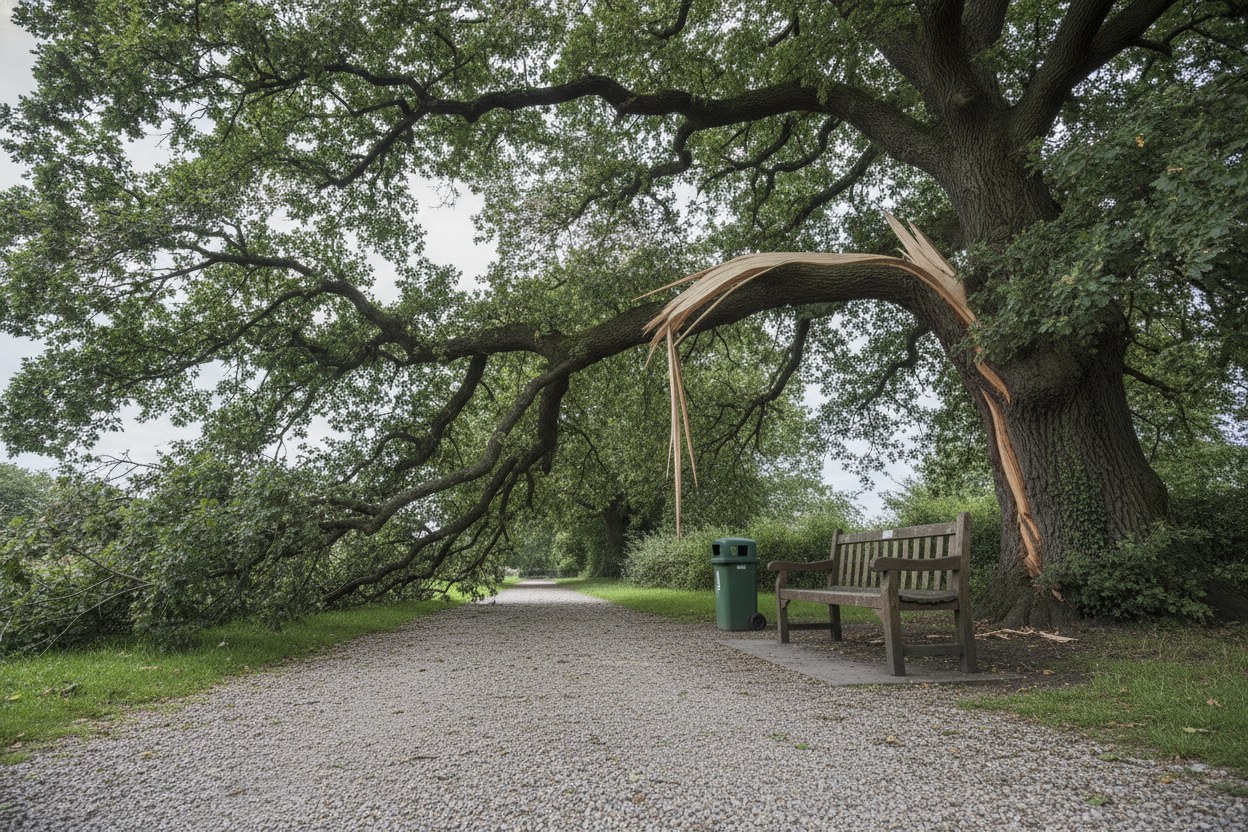
Add a photograph and a description of the concern. The clerk can review the defect and set its priority. Where there is an immediate safety concern, follow the council's emergency procedure and seek competent advice without waiting for the software workflow.
Once the appropriate action has been agreed, the clerk can create a job linked to the defect. This might be a visit by an arboriculturist or remedial work recommended in a professional report. Assign the job, set its due date and record the completion evidence.
The inspection result, defect and repair job remain separate records. A completed job does not automatically resolve the original defect. Review the outcome and update the defect when satisfied that the relevant action has been taken. See how to raise and manage a defect.
Follow up on an arboricultural survey
A professional tree survey may recommend work on several trees across the parish. Match the recommendations to the corresponding tree records and create jobs for the agreed actions. Each job can have its own assignee and due date. This makes it easier to review work still outstanding before the next council meeting.
Where the advice is to monitor a concern, Civic.ly lets you set the defect status to Monitoring. Schedule a recurring follow-up job as well, with instructions based on the professional advice. Changing the defect status alone does not schedule a visit. See how to monitor a defect over time.
Keep the specialist's original report and tree references with the council's records. You can enter the agreed jobs manually. Civic.ly describes Document Upload as a beta for selected councils in its October release notes. If your council has beta access, review any suggested work against the arboriculturist's recommendations before creating a job.
What to look for in tree inspection software
For a parish council, the important test is whether the system helps staff find the right tree and keep track of the work that follows an inspection. In a demo, ask to see a mapped tree with a completed check, a recorded hazard and an assigned remedial job. Then ask how outstanding work and the history of completed visits can be reviewed.
If your council manages playgrounds, parks and cemeteries as well as trees, read our routine inspections and maintenance guide.
Explore Civic.ly's features or book a demo to ask how the workflow would apply to a tree in your parish.
Frequently asked questions
Civic.ly lets parish and town councils record trees on a map, schedule visual checks, log defects and assign jobs for agreed remedial work. The tree's record provides a history of its inspections and related work.
Civic.ly helps councils record ground-level observations using the Tree Sweep and organise work recommended in a professional tree survey. It does not replace a qualified arboricultural assessment. Councils should arrange specialist assessments where required and follow the advice given.
Yes. A clerk can create a separate inspection against a tree when a further check is required. The council should determine the timing and scope of checks based on the circumstances and competent advice.
Yes. Create a job against the tree or link the job to an existing defect. Record completion and review the defect separately before marking it Fixed. Further visits can be scheduled where needed.
Civic.ly records tree locations, photographs, references and task histories. It does not have dedicated structured fields for TPO flags, stem dimensions or survey classifications. Keep specialist records where those details are required.